How to convert pdf to Goodle Docs or Word
🗒️Task:
Convert document in PDF format to Google Doc or Microsoft Word.
🛠️Prerequisites (if applicable):
PDF Document
📝Instructions:
Google Docs
- Upload the PDF file to your Google Drive account by right-clicking inside any folder and selecting Upload Files.
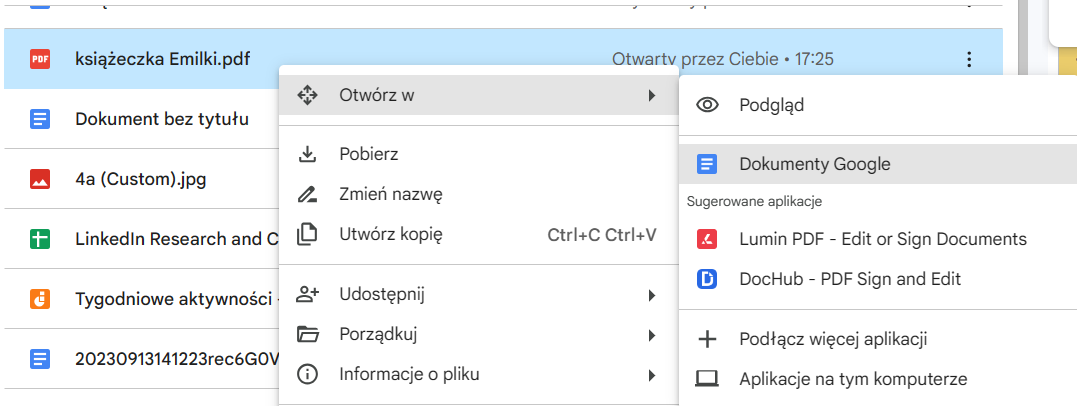
- Once the PDF is uploaded to Google Drive, right-click the file and select Open with, then select Google Docs.
- Google Docs will automatically convert the PDF document into Google Docs format.
Word
- Upload PDF to Onedrive
- Open PDF document - it will open in Word

- Click Convert and Edit
Outcome:
Converted PDF file to Google Doc or Word.
Template: knowledge_note_how_to