How to download webm video from url (clickup)
# How to download webm video from URL (html page)
# 🗒️Task:
I have an URL and I would like to download the video webm file. I record videos using clickup and once it is generated I would like to download those recording and do some postprocessing on it and this is why I need the file.
# 🛠️Prerequisites (if applicable):
Web browser - I’m using Microsoft Edge
# 📝Instructions:
- Open url with the file in browser and hit F12 to open developer tools

- Use the Select an element in the page to inspect it option and try to point the whole video control - it might be hard so you can use the code to find the proper video component.
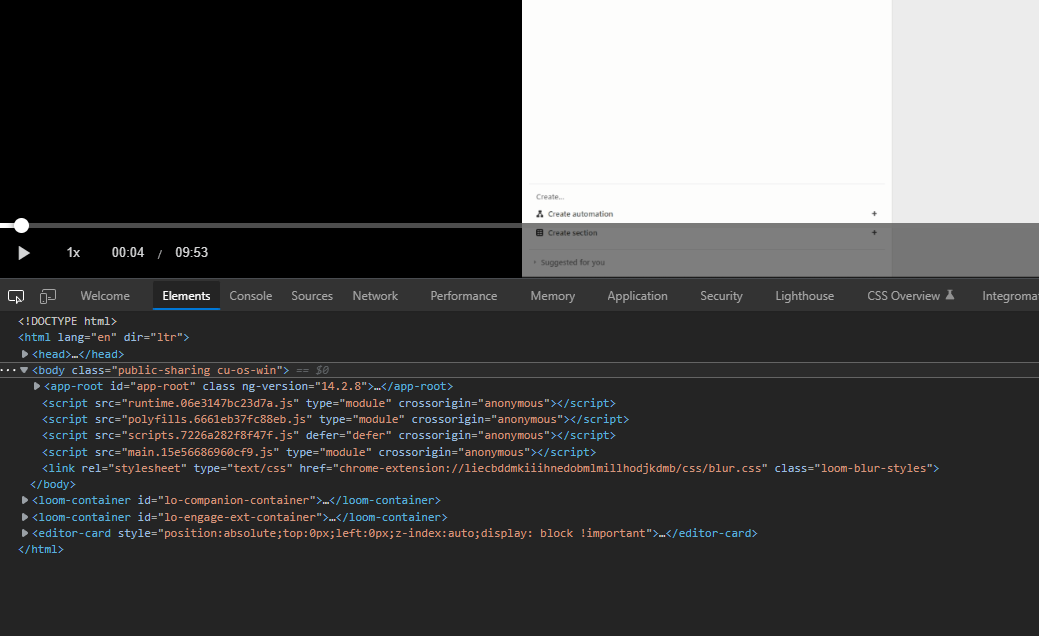
- Copy the video source URL


- Right click and select Go to option…
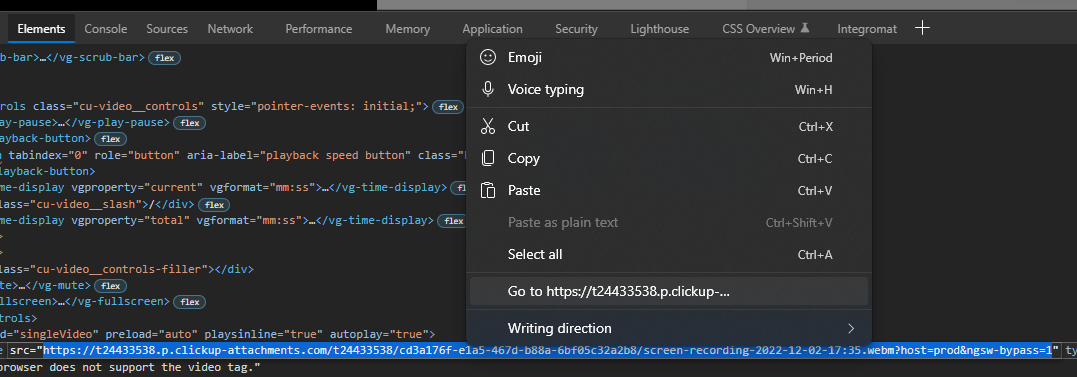
- It will start to download:

# Video:
# Outcome:
You will have the webm file downloaded.
This solution should also work with other video types - not only webm.
Template: templates/knowledge_note_how_to