How to deal with pull request merge conflicts
🗒️Task:
Resolve merge conflict in git

🛠️Prerequisites (if applicable):
Tools used to solve this task. Visual Studio
📝Instructions:
- Checkout the branch with merge conflict - click on the branch from remote that you would like to checkout
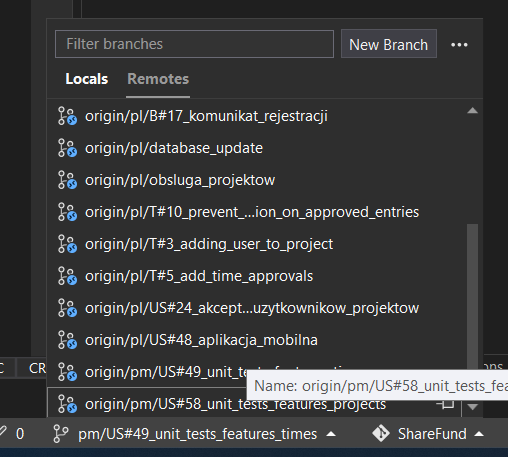
- Open project git repository

- Right click on the remote branch which there is a conflict with - the target of the pull request
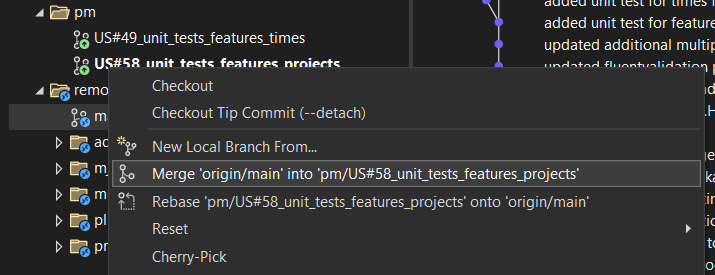
- Click on the resolve the conflict

- Right click on the file marked with C
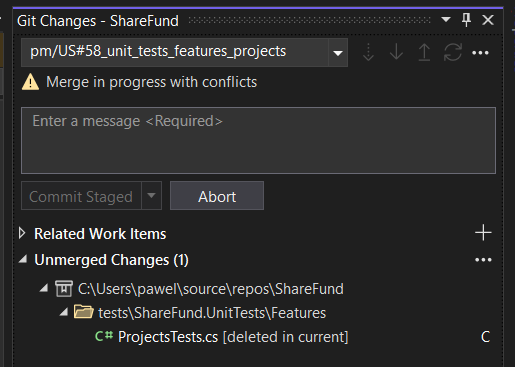
- Decide what to do with the file
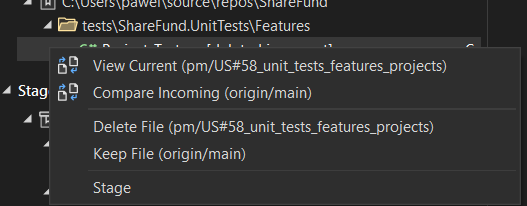 Please note that this conflict was about that in one branch the file was edited and in second it was deleted. The source branch is correct - the file should be deleted so we will delete the file.
 - Commit staged and push
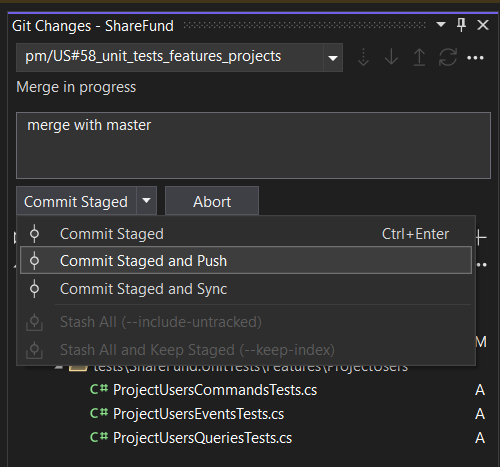
Outcome:
The conflicts will be resolved:

📖Further reading
Resolve Git merge conflicts - Azure Repos | Microsoft Learn
Template: knowledge_note_how_to